


CoCap: Designing a local-first caption workbench for macOS
Project overview
Role: Product designer and builder (product strategy, interaction, SwiftUI implementation)
Platform: macOS 14+ on Apple silicon
Tools: Swift, SwiftUI, Codex, Google AI Studio, Material Design 3
Outcome: A native macOS subtitle app that transcribes large video files locally with instant player preview
GitHub link: https://github.com/ningzh-design/CoCap
The initial cloud prototype
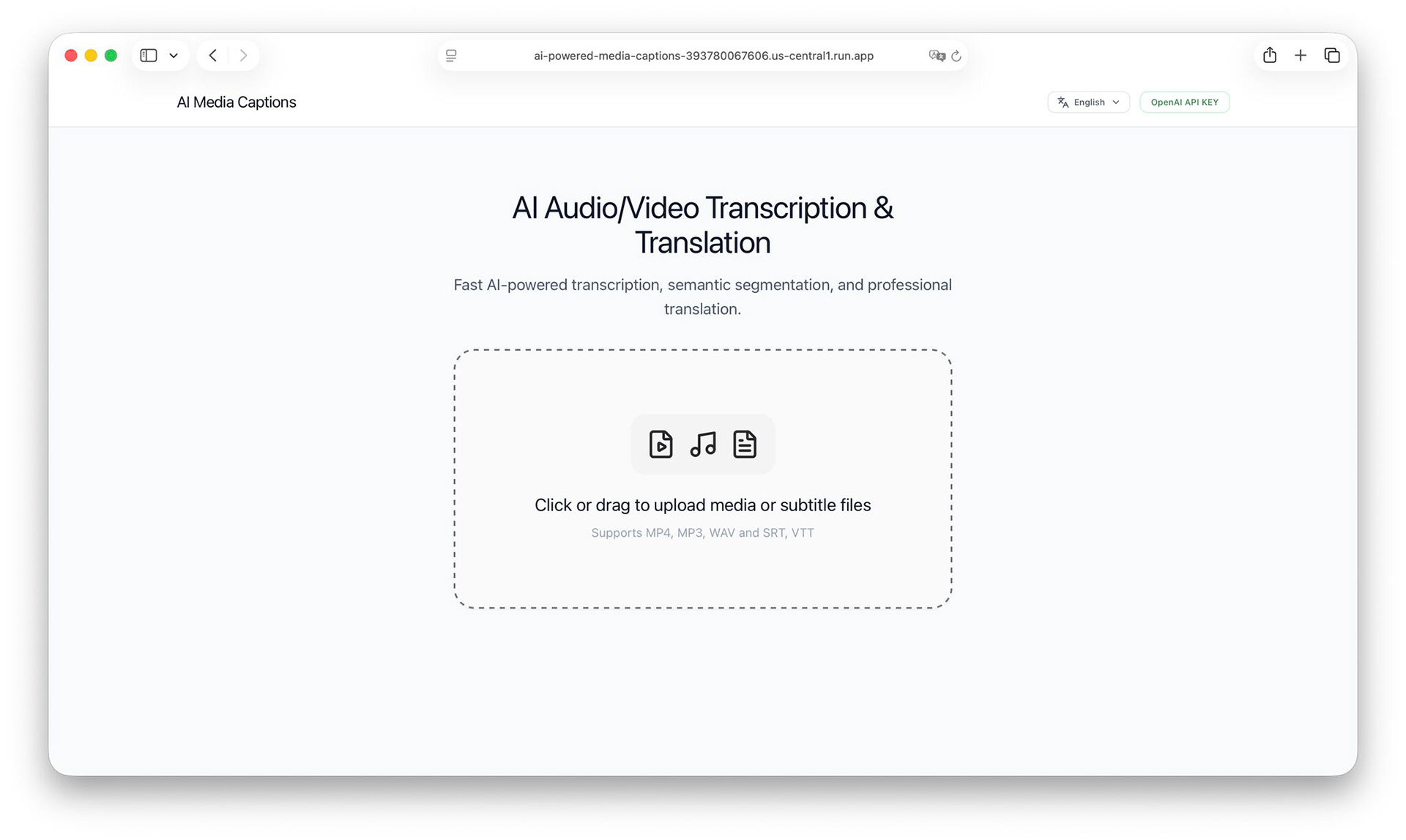
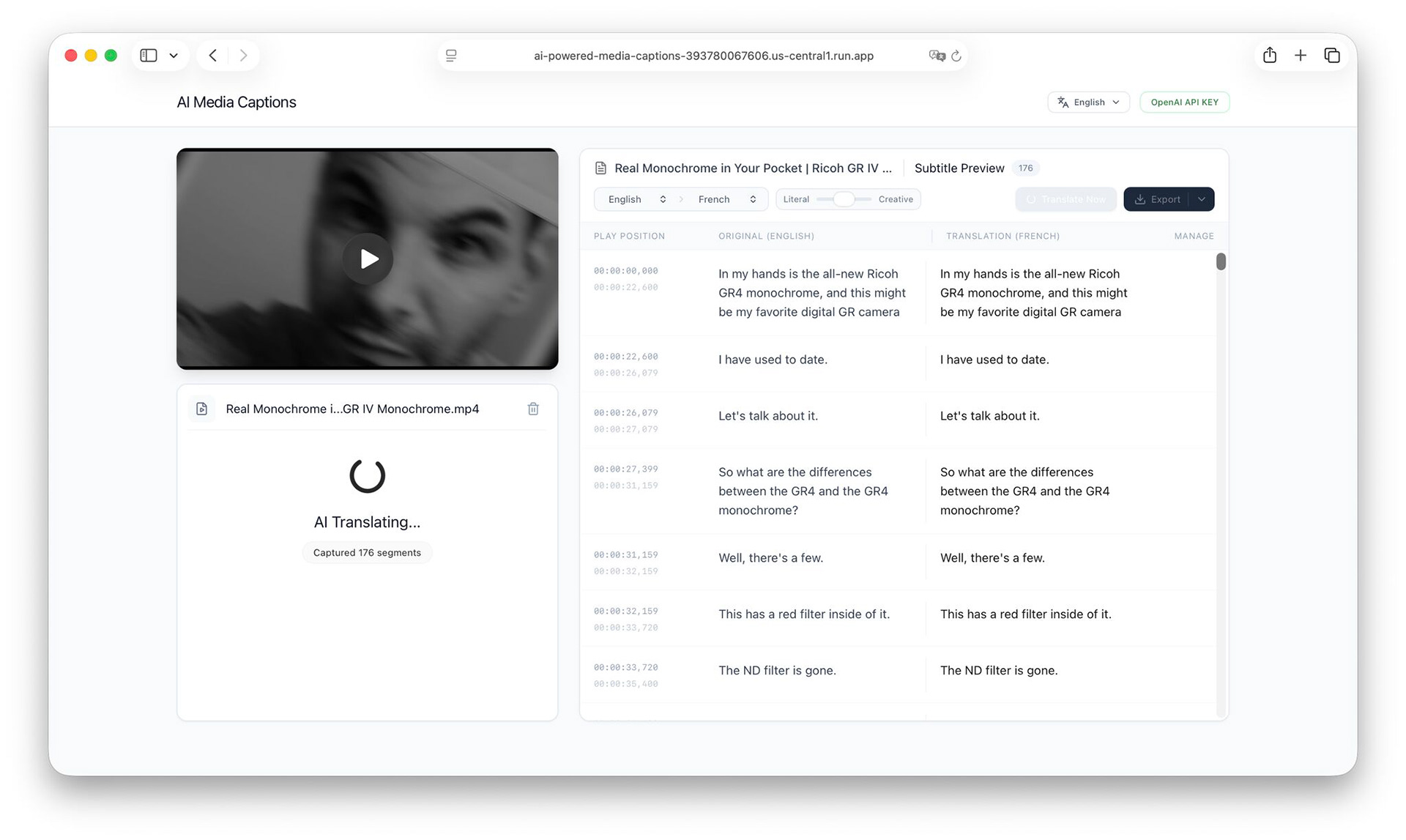
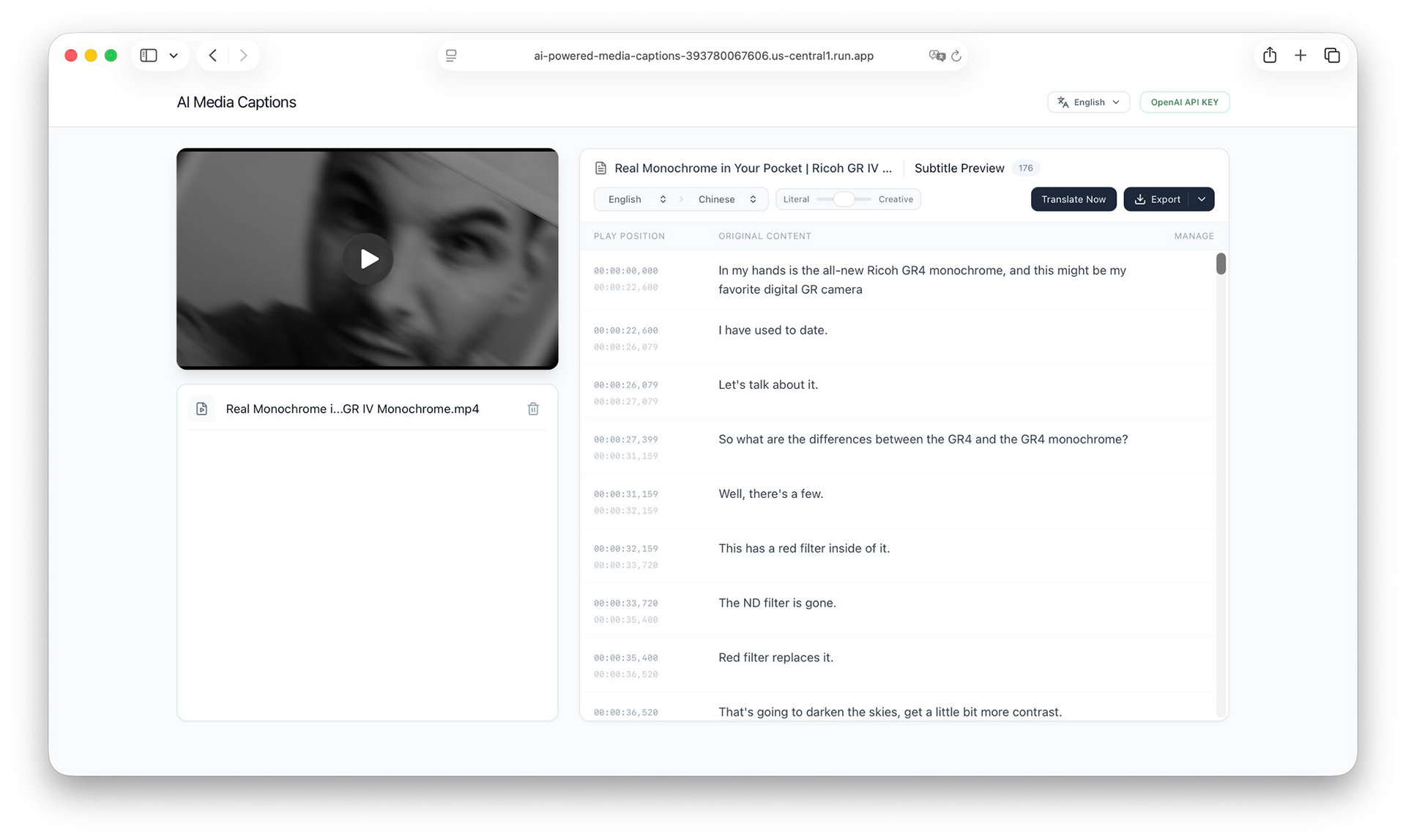
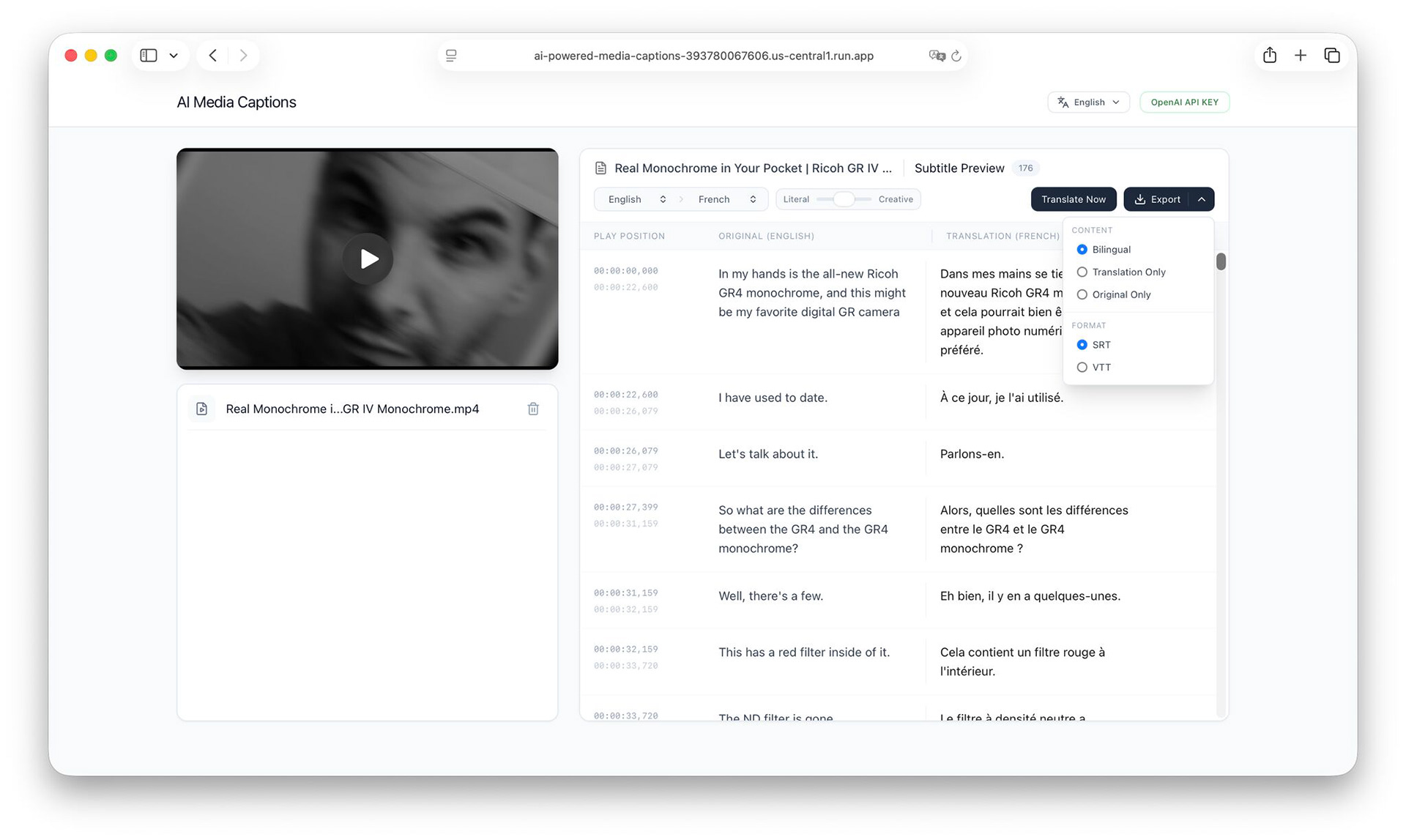
I started this project while building SubLime Captions, a web tool for proofreading and translating subtitles. While testing SubLime, I constantly needed large batches of subtitle samples with realistic speech-recognition errors. Instead of manually converting files or gathering test transcripts one by one, I decided to build a simple utility to generate them on demand.
To test the concept quickly, I created an initial prototype in Google AI Studio. Supplying the model with speaker names and topic tags noticeably cut transcription errors. Once that showed promise, I brought the project into Codex to add real file-handling logic and test it against longer media.
Why the browser failed for real video files
Short test clips worked fine in the browser. Testing with real video footage broke the entire setup.
To run realistic tests, I pulled out high-definition footage I had filmed in the past, including raw 4K camera files and multi-track interviews that often weighed 20 GB to 40 GB. Moving files that size through a web browser failed on almost every front.
Uploading a 30 GB file on standard home broadband took over an hour, and any dropped connection meant starting over. When the browser tried to process large audio buffers locally, tabs crashed from out-of-memory errors. Storing unreleased footage in third-party clouds raised obvious privacy questions, and running commercial cloud APIs against hours of high-definition video drove up costs fast.
Instead of writing complex chunked-upload scripts to keep the browser alive, I decided to rebuild CoCap as a native macOS app. When media stays on the local disk, bandwidth and privacy problems disappear.
Local processing and bounded memory
Moving offline eliminated the network bottleneck, but introduced hardware memory limits.
I benchmarked several speech models on Apple silicon to compare transcription quality across Mandarin and English audio against memory footprint and model launch times. I selected an on-device model that runs on Apple's Metal Performance Shaders (MPS). On an M3 Max chip, the model processes a 30-second audio window in 2.8 seconds, with an average real-time factor of 0.09.
Long video files still posed a RAM problem if loaded all at once. To handle multi-hour recordings without memory spikes, I built a 30-second streaming pipeline:
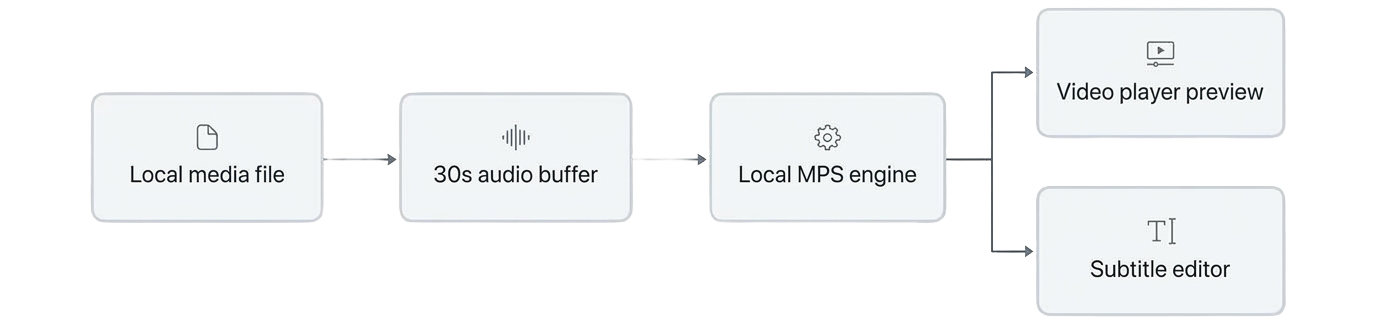
CoCap reads source video through native AVFoundation decoders. The app holds only the current 30-second audio slice and one upcoming chunk in memory. As a result, memory consumption stays around 150 MB whether the input is a 50 MB voice memo or a 40 GB camera master.
Designing in code with Material Design 3
I built CoCap without drawing mockups in Figma. As a solo builder, drawing static screens felt like extra overhead when I could iterate directly in SwiftUI code using Codex.
Writing UI code directly with an AI assistant can lead to inconsistent padding and mismatched colors across views. To keep the interface cohesive, I used Google's Material Design 3 design system as a prompt guide in Codex. MD3 provided an explicit system for type scales, surface elevations, and tonal color roles, which stopped the generated code from drifting between revisions.
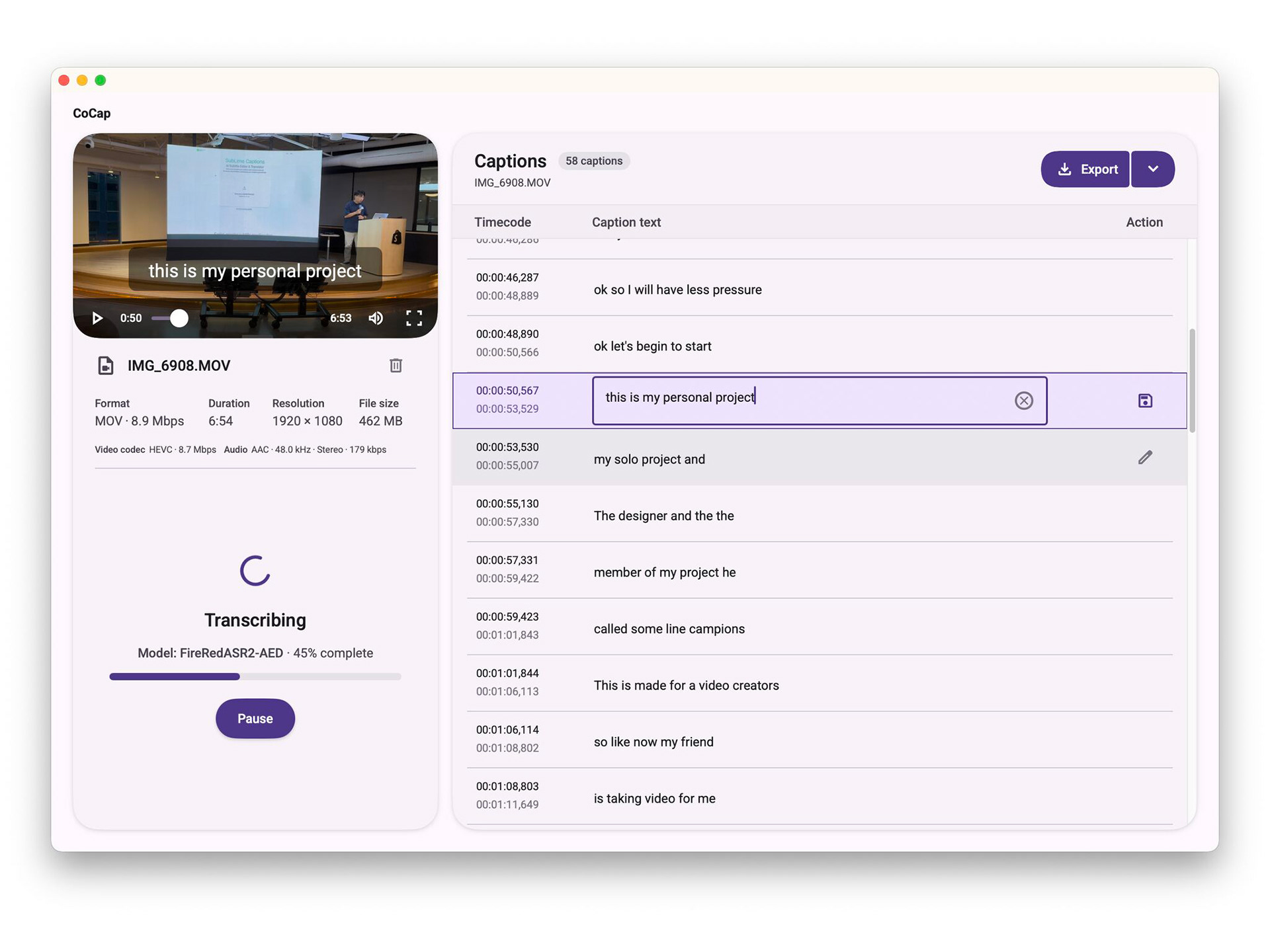
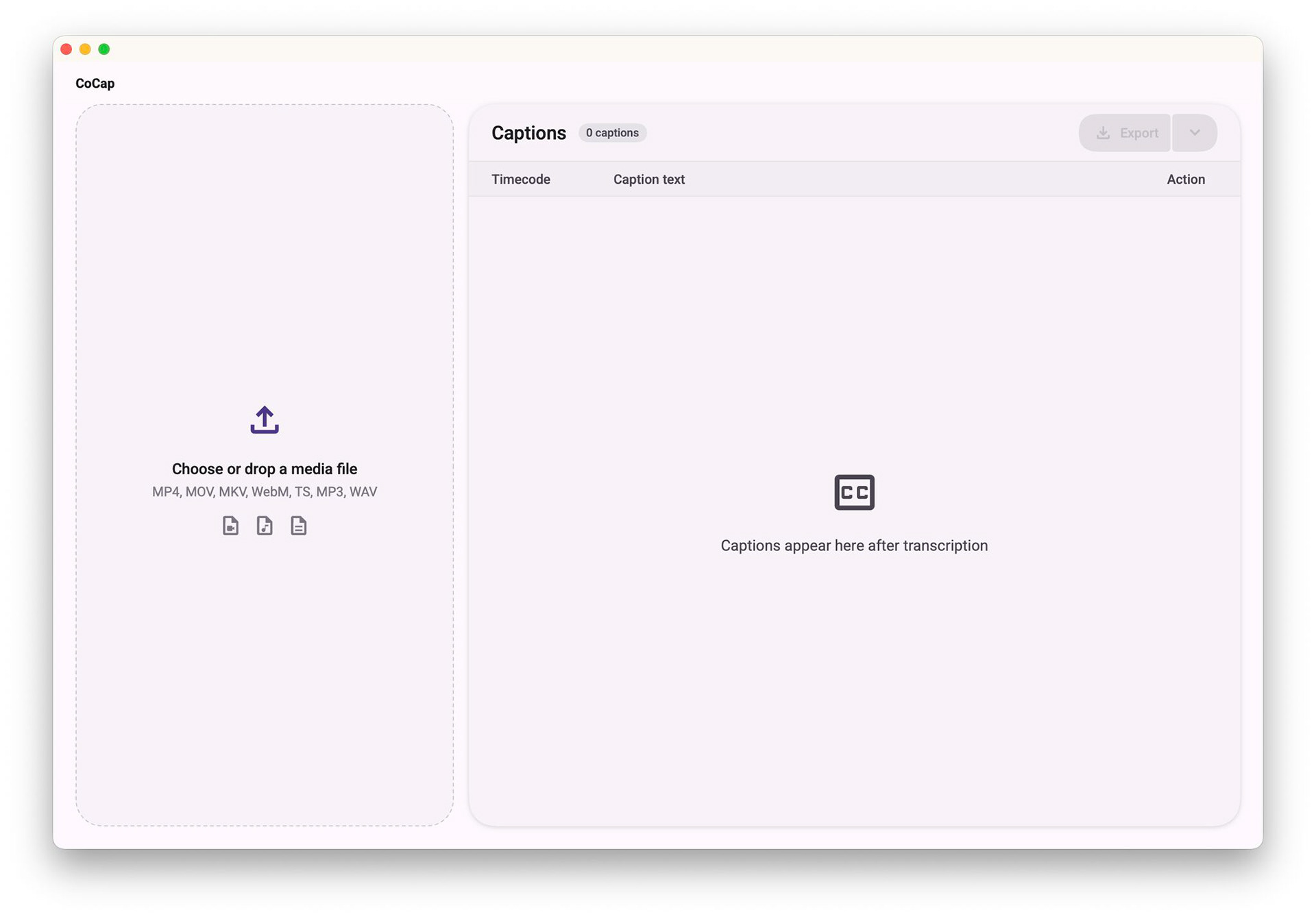
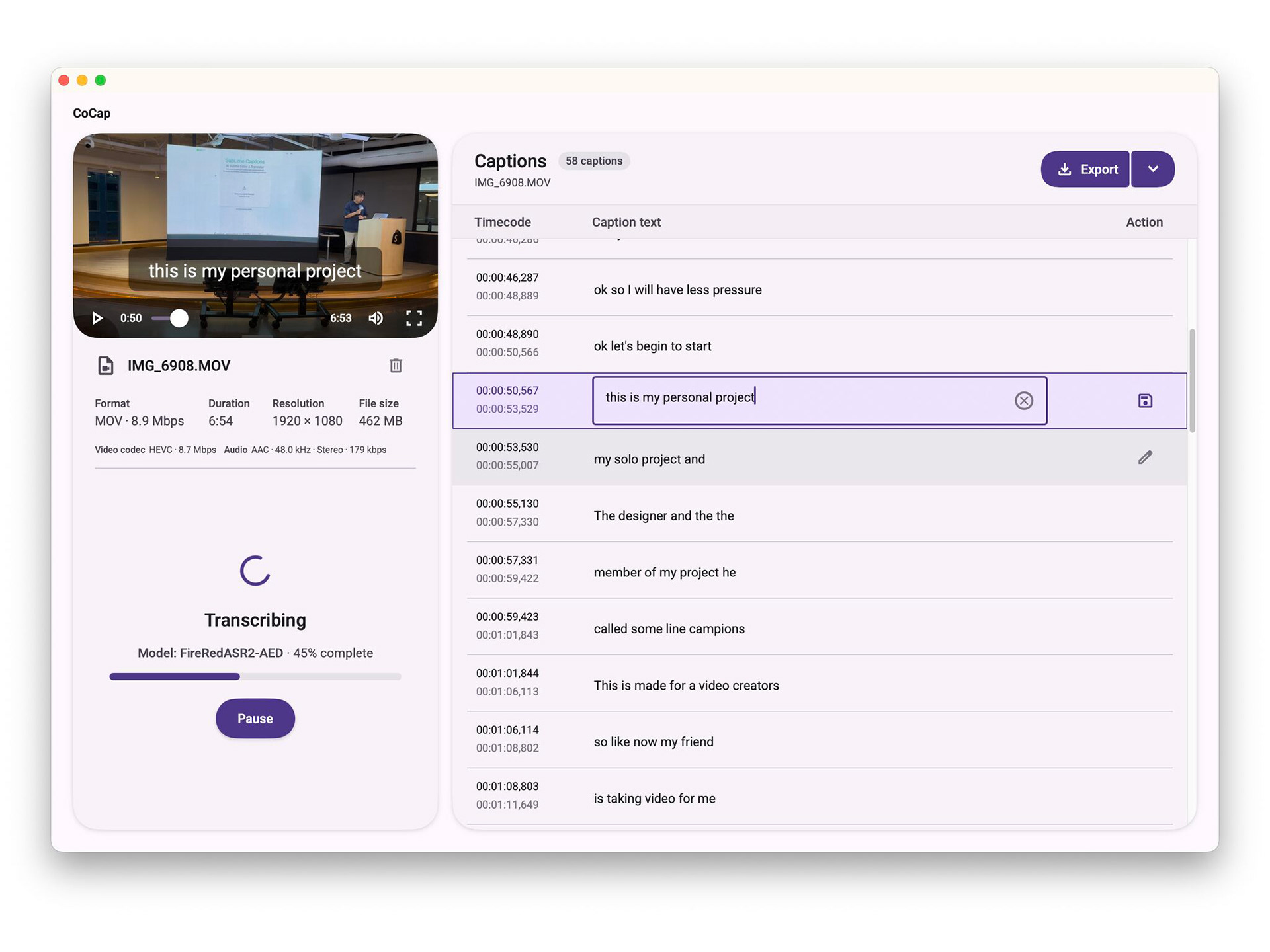
I adapted those MD3 surface rules to feel natural on macOS. The interface uses native Mac window styling, including a unified title bar, system file pickers, and standard shortcuts such as Space for playback. The layout uses a single split view: video and audio playback on the left, and an editable subtitle document on the right.
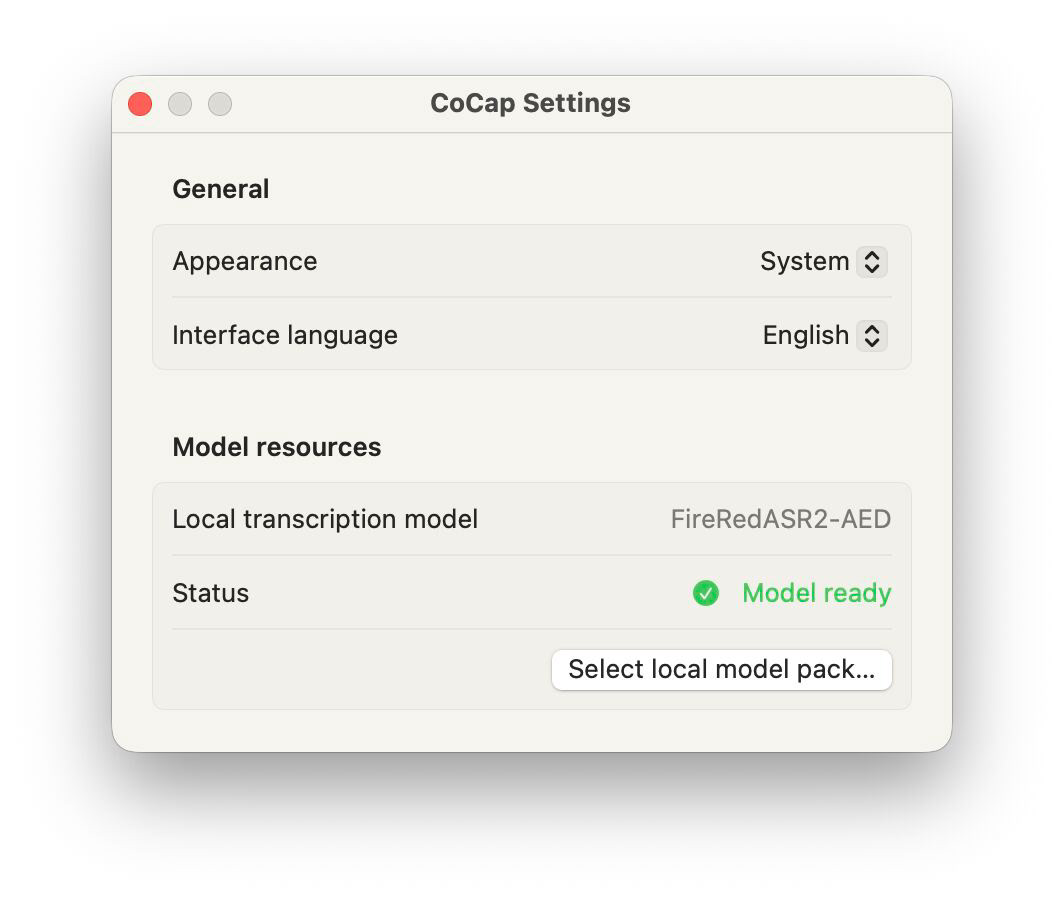
First-time setup fits into that same screen layout. If the speech model is missing on launch, the media panel shows an inline download card with a progress bar and checksum verification. Once the model finishes downloading, the card disappears and the drop zone appears, avoiding multi-step setup wizards.
Subtitle editing and playback details
After the core pipeline was stable, I refined the specific interaction details of subtitle editing:
Instant player preview
Traditional transcription software makes users wait for an entire file to finish before showing any text. CoCap pushes completed subtitles into the video player as soon as each 30-second slice finishes. An editor can scrub the playhead and verify the first scene while the engine continues transcribing subsequent audio in the background.
Natural phrase breaks
People rarely speak in neat sentences. CoCap pairs voice activity detection with a small audio overlap between chunks. This prevents clipped syllables at cut points and matches subtitle boundaries to natural breath pauses.
Plain-language punctuation
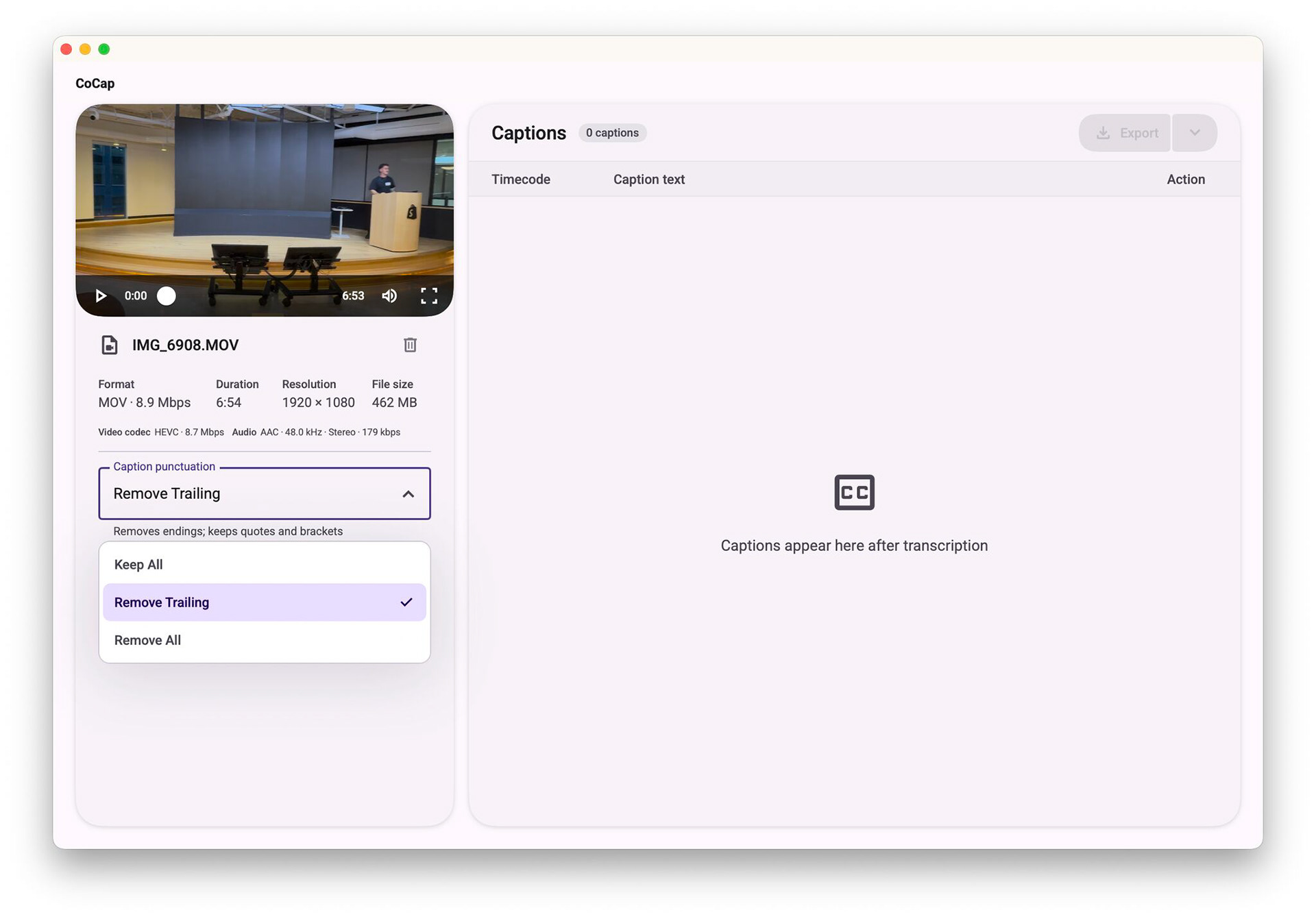
Video editors rarely need machine learning settings like temperature or beam width. What they care about is how punctuation looks on screen.
CoCap replaces technical knobs with three clear options. 'Keep all' preserves full punctuation for narrative scripts. 'Remove trailing' strips periods and trailing commas to follow broadcast subtitle standards. 'Remove all' provides unpunctuated text for fast-paced social video clips.
Pausing without losing progress
Stopping a long transcription should never discard completed work. Clicking Pause displays a 'Pausing transcription...' message while the engine finishes its active 30-second slice. Once stopped, all completed subtitles remain editable and ready for export to SRT or WebVTT formats.
Takeaways
Pairing an AI coding assistant with an explicit design system worked much better than building from visual mockups. Supplying Material Design 3 tokens gave Codex concrete boundaries for typography, spacing, and color, which kept the SwiftUI code structured throughout rapid changes.
The project also reinforced the value of sensible defaults. Instead of exposing speech recognition settings, hiding model mechanics behind three punctuation options solved what editors needed. The tool feels fast and dependable because the machine learning stays out of the user's way.